This is the practical app chapter for the city guides on this site. It assumes that you are using a foreign phone number and an international bank card, and that you have never used Chinese travel apps before.
Screenshot note: the pictures below are genuine developer-supplied App Store screenshots or an official government-published Weixin Pay guide, checked on 17 September 2026. They are not screenshots from your own phone. Menus can still differ by iOS/Android, app version, language, region, account eligibility, and verification status. Read the written path as well as the picture, and never scan a QR code copied from an untrusted guide.
1. Set up the phone before departure
Do this while you still have reliable Wi-Fi, your home SIM, and access to your bank’s verification messages.
Install these first
| Need | Primary app | Backup or alternative |
|---|---|---|
| Payments and transport | Alipay | WeChat Pay + cash |
| Messaging and official mini-programs | Email or hotel phone | |
| Local maps and metro routes | Amap / Gaode Maps | Baidu Maps, Apple Maps |
| Ride-hailing | DiDi | Official taxi queue |
| Restaurants and local reviews | Dianping / Meituan | Hotel, restaurant counter |
| Intercity trains | 12306 or Trip.com | Station ticket counter |
| Translation | Alipay Translate, Google Translate, camera translation | Microsoft Translator |
Use a two-layer connection plan
- Keep your home carrier’s roaming active until your first hotel check-in.
- Install and test an international eSIM before leaving home if your phone supports it.
- Download offline translation languages where the app allows it.
- Save hotel addresses, ticket confirmations, and QR codes as screenshots.
- Carry a power bank. A payment QR code is useless if the phone is dead.
Account checklist
- Use the same phone number throughout the trip if possible.
- Enter your name exactly as it appears on your passport.
- Use a strong screen lock and do not share one-time verification codes.
- Add a second bank card if your bank allows it.
- Keep a small amount of RMB cash for a failed network, dead battery, or unsupported terminal.
- Test every app before relying on it at an airport, station, or attraction.
2. Alipay: payment, QR codes, transport, and translation
Alipay is often the easiest first app for overseas visitors because one account can combine merchant payment, transport, translation, and city mini-programs. It is not guaranteed to work for every deposit, ticket, or peer-to-peer transfer.
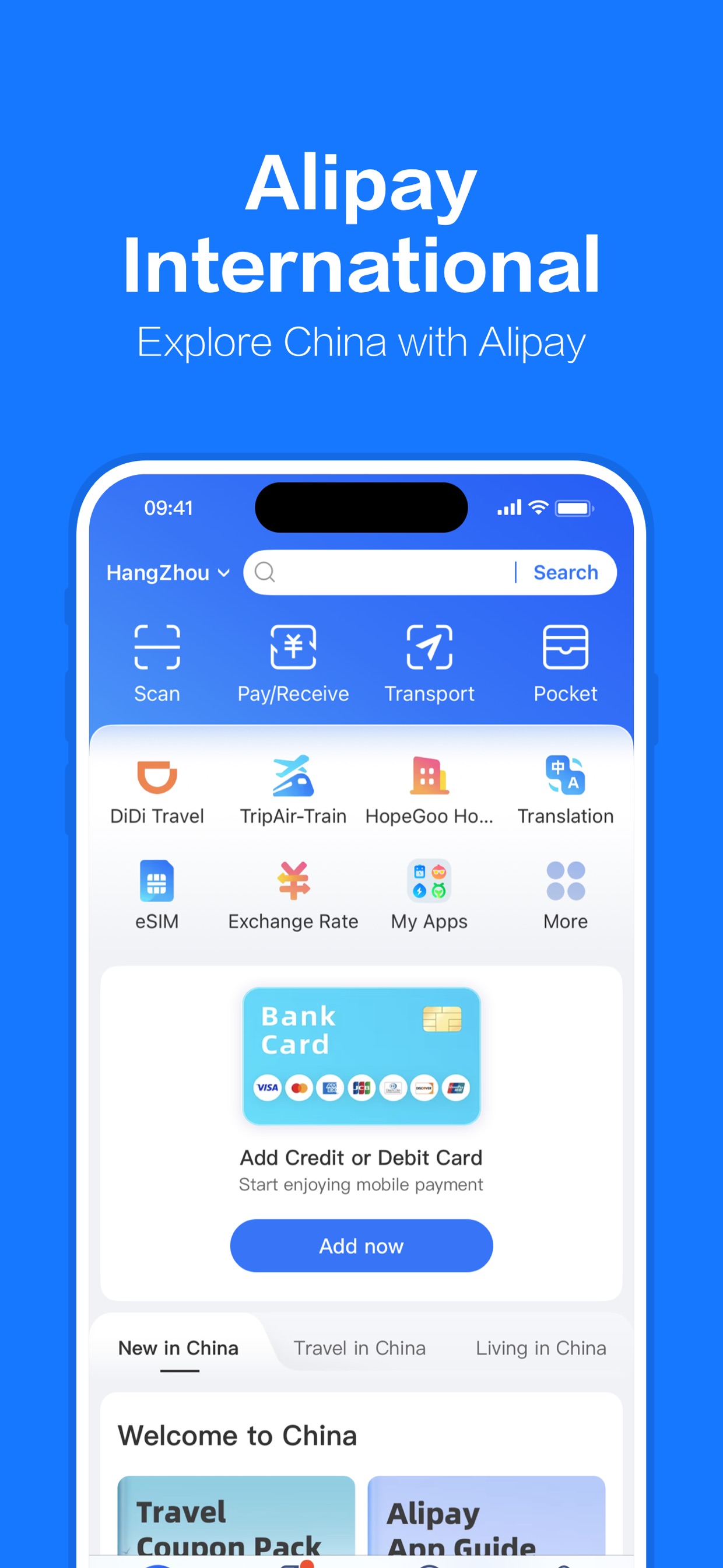
Real promotional screenshot supplied by Alipay to Apple. It shows the English home screen, including Scan, Pay/Receive, transport, translation, and the bank-card setup entry. Open the official App Store listing.
A. Add an international card
- Open Alipay and choose the language you can read.
- Register with your travel phone number.
- Open Account / Me → Bank Cards. The exact menu can vary.
- Tap Add card and enter the card number, expiry date, and security details.
- Complete passport or identity verification if requested.
- Confirm the fee notice and foreign-card restrictions before paying.
- Open the payment screen once and confirm that the linked card is visible.
If verification fails, try the second card, check that your bank allows overseas e-commerce, and call the bank if its fraud system blocked the attempt. Do not repeatedly submit random passport-name variations.
B. Let a cashier scan your payment QR code
This is the most common flow in a shop or restaurant.
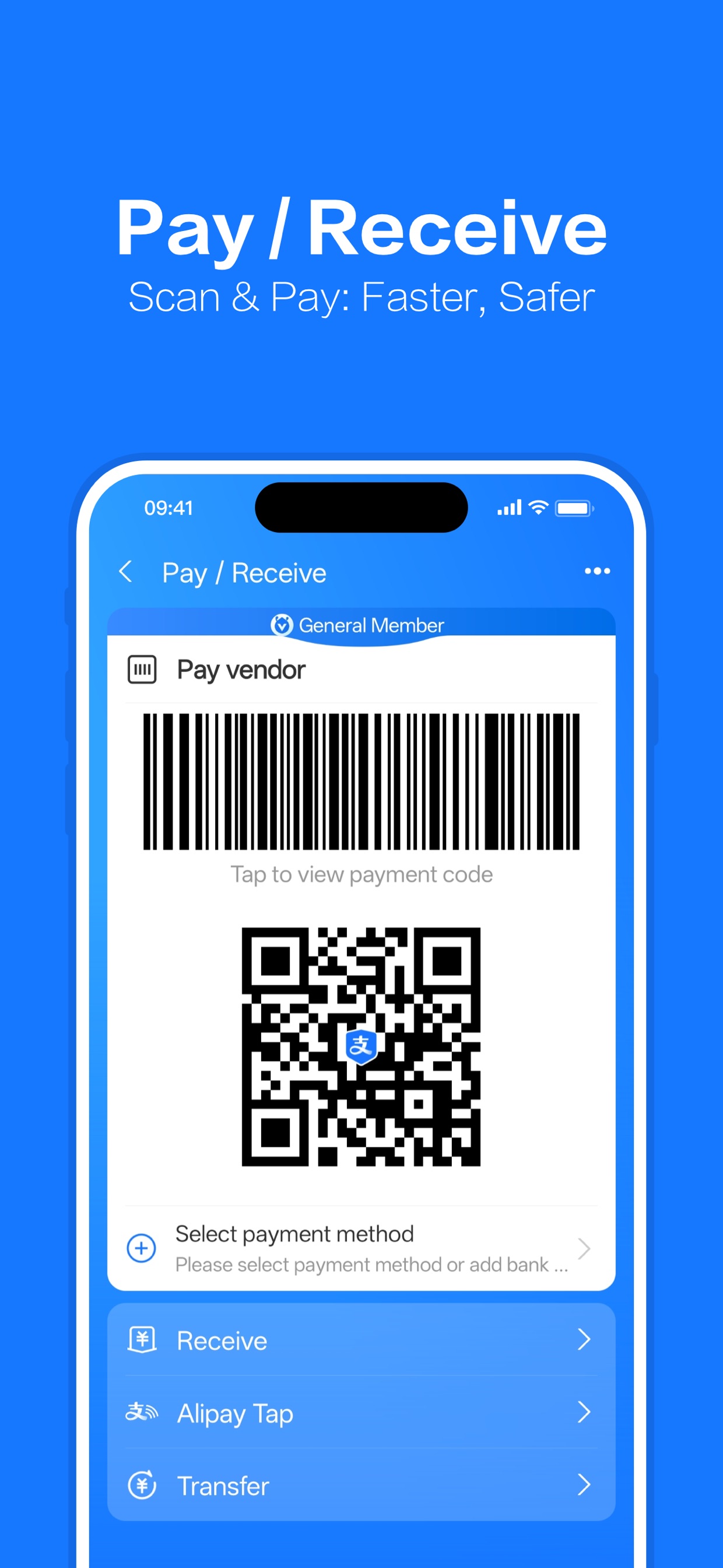
Real App Store screenshot showing Pay/Receive, the merchant-facing barcode/QR code, and the payment-method selector. Tap the picture to view it full size. The code shown is a non-live promotional example.
- Open Alipay.
- Tap Pay or Payment on the home screen.
- Show the live barcode or QR code to the cashier.
- Wait for the confirmation sound or success page.
- Check the merchant name and amount in the receipt.
The payment code is dynamic. Do not use a saved screenshot. If the cashier cannot scan it, increase screen brightness, remove a privacy filter temporarily, or use the merchant’s QR code instead.
C. Scan the merchant’s QR code
Use this when the restaurant places a payment code on the table or the cashier displays one.
- Open Scan from the Alipay home screen.
- Point the camera at the merchant’s official QR code.
- Check the merchant name, amount, and payment method.
- Confirm only after the amount is correct.
- Keep the success page until the transaction is complete.
Do not scan a QR code sent by a stranger, pasted over a notice, or shown by an unsolicited “helper.” At a restaurant, ask the server to confirm the official code before paying.
D. Use the Alipay transport code
Many cities offer a metro or bus code in Alipay. The exact name depends on the city.
- Open Transport or Ride.
- Choose Metro or Bus.
- Select the current city if the app does not detect it.
- Complete identity verification and accept the transport terms.
- Open the live ride code immediately before entering.
- Scan in and scan out, or follow the bus reader instructions.
Do not assume that one city’s QR code works in another city. If the transport page shows the wrong city, switch cities before scanning. Keep a physical ticket or cash backup for the first ride.
E. Use Alipay’s translation tools
Depending on the current version, you may find translation through the home search, Tools, or a camera/scan feature.
- Use camera translation for restaurant menus, signs, and ticket instructions.
- Save important Chinese text as a screenshot before translating it.
- For medical allergies, show the original Chinese sentence as well as the translated sentence.
- Machine translation is a convenience, not proof that a ticket or ingredient is safe.
F. Understand Huabei and other credit menus before an emergency
Huabei (花呗) is consumer credit, not stored wallet money. Its official contract describes a consumption-loan and instalment service whose activation is subject to provider approval, identity information, credit information, and risk control. A short-term visitor using a passport, foreign phone number, and international card should assume that Huabei, Jiebei (借呗), and similar credit products will not be available. Do not make them part of the trip’s primary emergency plan.
If Huabei was already offered to you, approved, and activated before the emergency:
- Open Me / Account → Huabei, or search for 花呗 inside Alipay.
- Check the available limit, lending provider, fees or interest, statement date, repayment date, and accepted repayment method. Do not continue if any term is unclear.
- At an eligible merchant’s confirmation screen, tap the current Payment method and select Huabei only if it appears. It may not be accepted for every merchant, ticket, transfer, deposit, or transaction.
- Choose a normal purchase rather than instalments unless you have read the total cost and repayment schedule.
- Save the receipt. Return to Huabei → My bill / Repay and confirm that the transaction appears and that you have a working repayment source.
If the Huabei entry, limit, or payment option does not appear, there is no reliable traveller workaround. Do not use another person’s identity, buy a “verified account,” or accept an offer to convert Huabei credit into cash. Cash-out transactions can violate the service contract and are a common fraud scenario. Read the current official Huabei contract before using credit.
3. WeChat: Pay, Scan, official accounts, and mini-programs
WeChat is more than a messaging app. Hotels, museums, restaurants, rail services, and city governments often use official accounts or mini-programs for reservations and notices.
A. Add a card and find Pay
- Open Me → Services. Some accounts show Wallet first.
- Look for Money, Pay, or Cards.
- Add an international card if the option is available.
- Complete identity verification if requested.
- Turn on notifications so booking confirmations are not missed.
The menu may be unavailable until the account, region, or identity verification is complete. Keep Alipay or cash as a backup.
B. Show your payment code or scan a merchant code

Official bilingual Weixin Pay user guide published by the Shanghai Municipal Government. It contains real interface screenshots for adding a card, scanning a merchant code, and presenting your payment code. Tap the picture to read the full-size guide. Open the source page.
To let the cashier scan you:
- Open Me → Services → Money / Pay.
- Tap Pay.
- Show the live barcode or QR code.
- Confirm the amount on the receipt.
To scan the merchant:
- Tap Scan on the WeChat home screen.
- Scan the official restaurant or shop QR code.
- Check the merchant name and amount.
- Confirm with the linked card.
C. Open a mini-program safely
Mini-programs are small services inside WeChat. They may handle attraction tickets, restaurant queues, transit, or hotel services.
- Open the attraction’s or city’s official website first.
- Follow the official WeChat link, QR code, or account name.
- If searching manually, copy the Chinese name exactly.
- Check the verified account name and official logo.
- Enter your passport details only on a verified service.
- Save the confirmation page and QR code offline.
Search results can contain unofficial agents. A familiar logo is not enough; use the link published by the venue’s own website.
D. Distinguish WeChat Pay Score from borrowing
WeChat Pay Score (微信支付分) is not a general cash loan or wallet balance. At participating merchants it may support deposit-free service or “use first, pay later,” after the account and merchant pass their respective assessments. The merchant can later debit an authorized WeChat balance, linked bank account, or other available payment channel. An unpaid Pay Score order may block later use.
Products such as Fenfu (分付) or Weilidai (微粒贷), when displayed, are separate credit products. Availability, identity requirements, limit, cost, and repayment rules are determined by the provider and the individual account. A foreign tourist should assume they are unavailable unless the verified account already shows an approved limit.
If a pay-later or credit option was already activated:
- Open Me → Services → Wallet and select the named product shown on your own account.
- Read the provider name, available amount, fees or annualized borrowing cost, due date, overdue consequences, and repayment source.
- Use it only when the same product appears on the merchant’s official confirmation screen.
- Check the resulting bill immediately and set a repayment reminder before leaving China.
Do not confuse WeChat Pay Score with emergency cash: the official terms describe merchant-specific conveniences, subject to identity verification, account activity, risk assessment, and merchant rules. See the current official WeChat Pay Score terms.
4. Amap / Gaode Maps: search the right place and entrance
Amap is especially useful for Chinese names, metro exits, walking routes, traffic, taxi pickup points, and businesses. Its English support can vary, so save Chinese names.
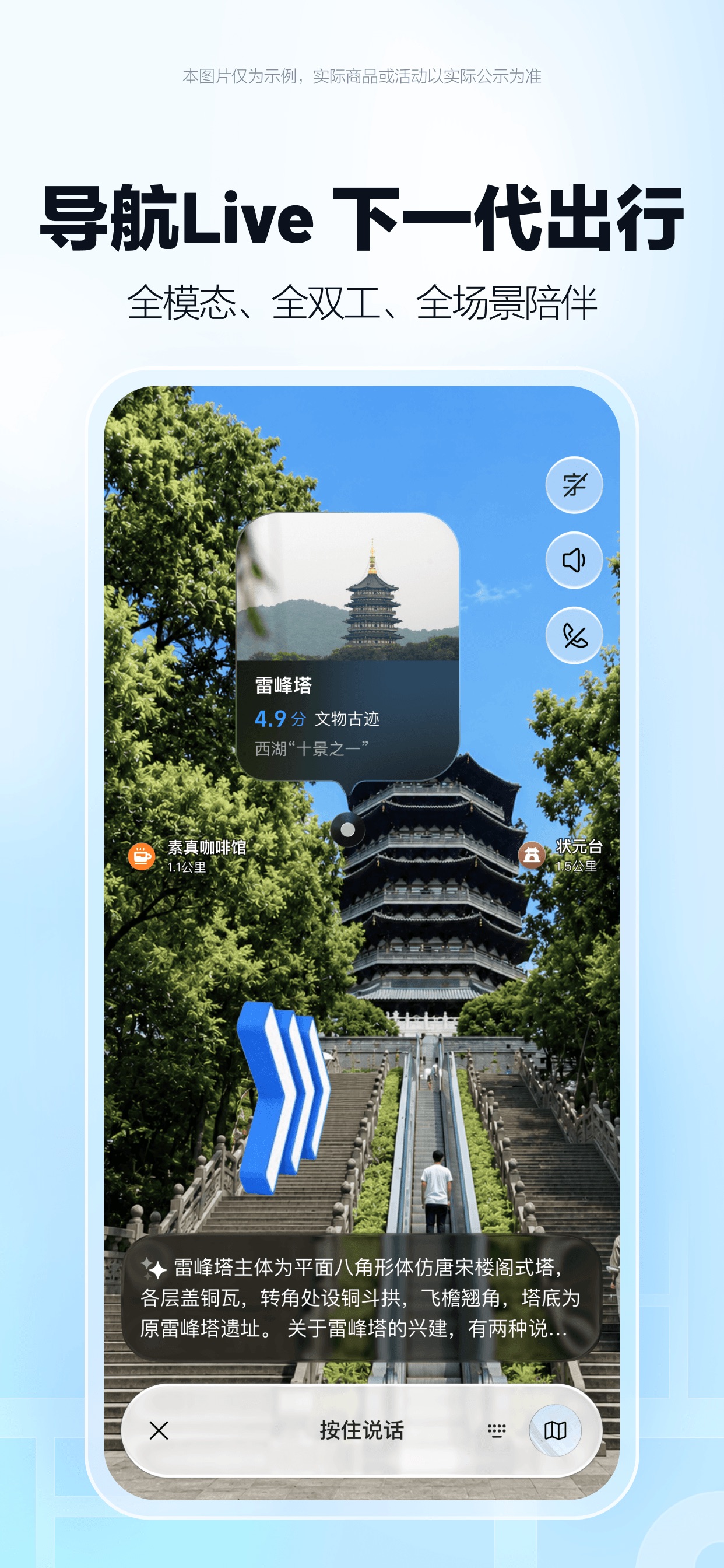
Real promotional screenshot supplied by Amap to Apple, showing its current Navigation Live interface. The live route view is an advanced feature; ordinary search and walking navigation may look simpler. Open the official App Store listing.
A. Search an attraction
- Copy the Chinese name from the official ticket page.
- Paste it into Amap’s search box.
- Compare the result’s district, address, opening hours, and photos.
- Check whether the result is an entrance, ticket office, visitor centre, or exit.
- Save the exact place to your favourites or a trip list.
For large sites, search for the specific gate, terminal, building, or museum hall—not just the attraction’s English name.
B. Plan a route
- Tap Route / Directions.
- Choose walking, public transport, taxi, or driving.
- Compare total door-to-door time, not only the ride time.
- Read the station name and exit number.
- Check the last segment after leaving the station; it may be a 10–20 minute walk.
- Recheck the route on the morning of travel for closures or traffic.
C. Set a reliable DiDi pickup point
At airports, stations, malls, and scenic areas, the map pin may be on the wrong side of a road or behind a barrier.
- Search for the official pickup zone or a named gate.
- Move the pin to the signed meeting point.
- Send the driver the Chinese name of the gate.
- Do not wait at an underground platform unless the app explicitly says to.
- Compare the car’s plate number before entering.
5. Meituan / Dianping: restaurants, queues, and local information
Dianping (大众点评) is useful for restaurant discovery, branch addresses, photos, menus, prices, and reviews. Meituan (美团) is also used for ordering, reservations, delivery, and queue numbers. Both interfaces are mainly Chinese, and some functions may require local verification or a Chinese payment method.
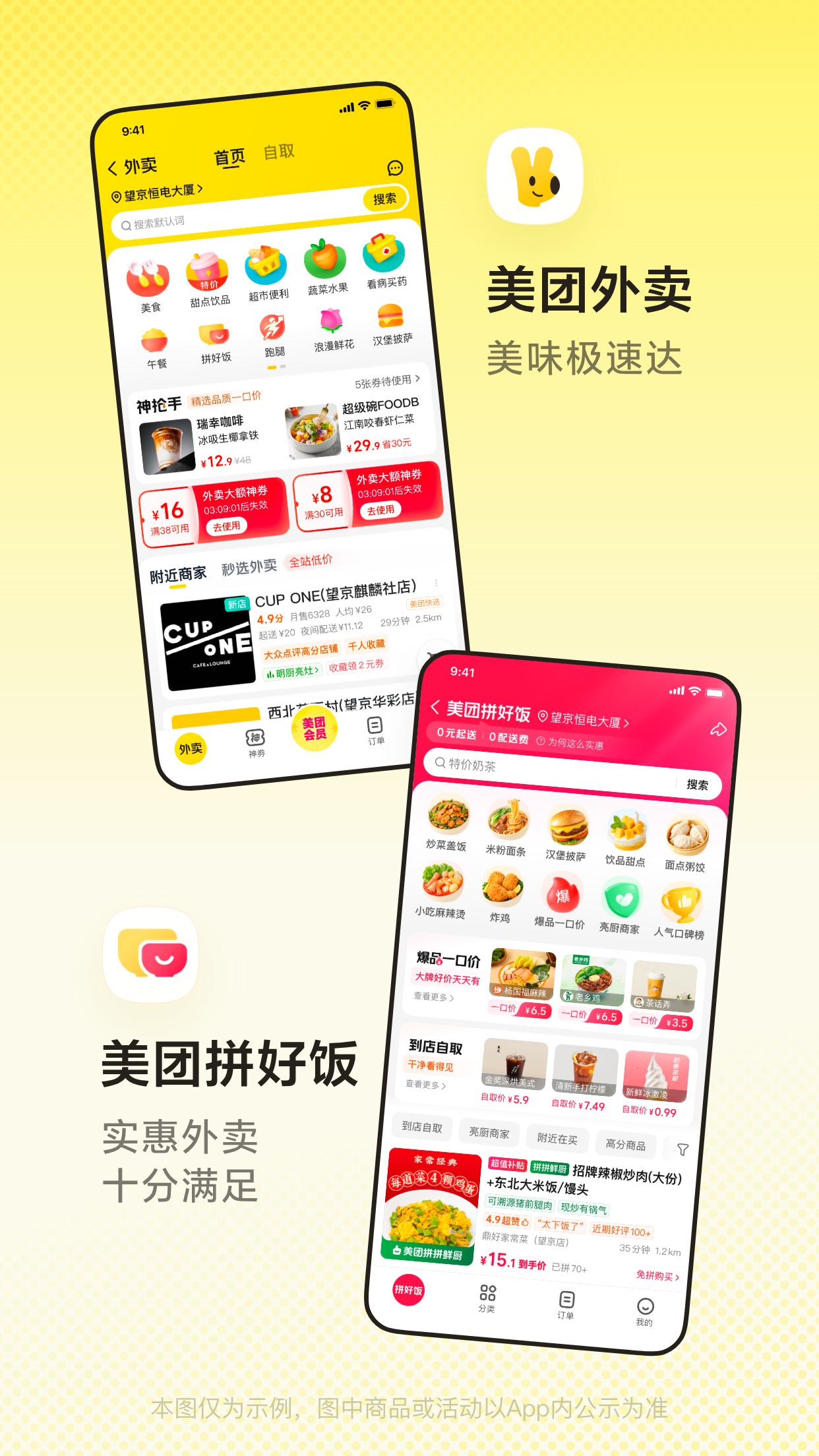
Real promotional screenshot supplied by Meituan to Apple, showing 外卖 (takeaway) and 拼好饭 (group-value meals). Tap the picture to inspect the Chinese labels. Open the official App Store listing.
A. Find a restaurant
- Search by dish, cuisine, or restaurant name in Chinese.
- Filter by distance, opening status, price, or rating.
- Open the map and compare branches.
- Check the exact branch address and phone number.
- Read recent photos and recent reviews rather than relying only on the overall score.
Useful searches:
| English | Chinese search term |
|---|---|
| roast duck | 烤鸭 |
| hot pot | 火锅 |
| dim sum | 早茶 / 点心 |
| vegetarian | 素食 |
| English menu | 英文菜单 |
| near me | 附近 |
| open now | 营业中 |
B. Join a queue
Some restaurants offer 到店取号 (take a queue number in person) or online queueing.
- Open the correct branch.
- Look for 排队, 取号, or 到店取号.
- Check whether a phone number or deposit is required.
- Save the queue number and monitor the estimated wait.
- Arrive before the number expires.
If the app rejects a foreign phone number or card, ask the host stand for a paper or in-person queue number. Do not pay an unfamiliar deposit just because the restaurant has a high rating.
C. Order delivery cautiously
Delivery is convenient for hotels, but it is not always the best first-night option.
- Confirm that the hotel accepts food deliveries.
- Copy the hotel’s Chinese name and address exactly.
- Add the room number only in the private note field if the hotel allows it.
- Check whether the app accepts your payment method.
- Meet the courier in the lobby if the building restricts elevator access.
- Do not rely on delivery for a time-critical meal, airport transfer, or train departure.
D. Book a hotel through Meituan
Meituan can display hotels, guesthouses, and short-stay properties, sometimes with local prices or promotions that are not shown in an international booking app. Treat it as an additional search and booking channel, not as proof that a property accepts foreign guests.
- Search 酒店 or 民宿, then enter the city, dates, and number of guests.
- Filter by area, price, rating, breakfast, cancellation, or distance from a station.
- Open the exact property page and save its Chinese name, address, phone number, and check-in time.
- Before paying, message or call the property and ask: 接受外国护照吗?可以办理外国人住宿登记吗? (Do you accept foreign passports and complete the required foreign-guest registration?)
- Confirm whether the displayed price includes taxes, breakfast, deposits, extra guests, and cancellation.
- Save the booking page and contact the property again if your arrival is late.
If the property cannot clearly confirm foreign-passport check-in, choose another hotel. A successful Meituan payment does not guarantee that the front desk can complete registration.
E. Order a takeaway meal step by step
- Open 外卖 (takeaway) or search for a restaurant and choose the 外卖 tab.
- Set the delivery location to the hotel lobby or a building entrance; do not rely on GPS alone.
- Choose the restaurant, inspect recent reviews, delivery fee, minimum order, and estimated time.
- Add dishes, review spice level and serving size, and use the note field for simple Chinese requests such as 少辣 (less spicy) or 不要香菜 (no coriander).
- Enter the hotel’s Chinese name and room or lobby instructions. Put a room number in a private note only if the hotel allows it.
- Confirm the courier phone/contact method, delivery time, and payment before submitting.
- Meet the courier at the lobby, gate, or a marked pickup point. Do not ask a courier to enter a restricted building.
For a first order, choose a nearby restaurant with many recent reviews. Keep a backup meal because buildings, weather, traffic, and foreign-card payment can delay delivery.
F. Use Meituan for car rental carefully
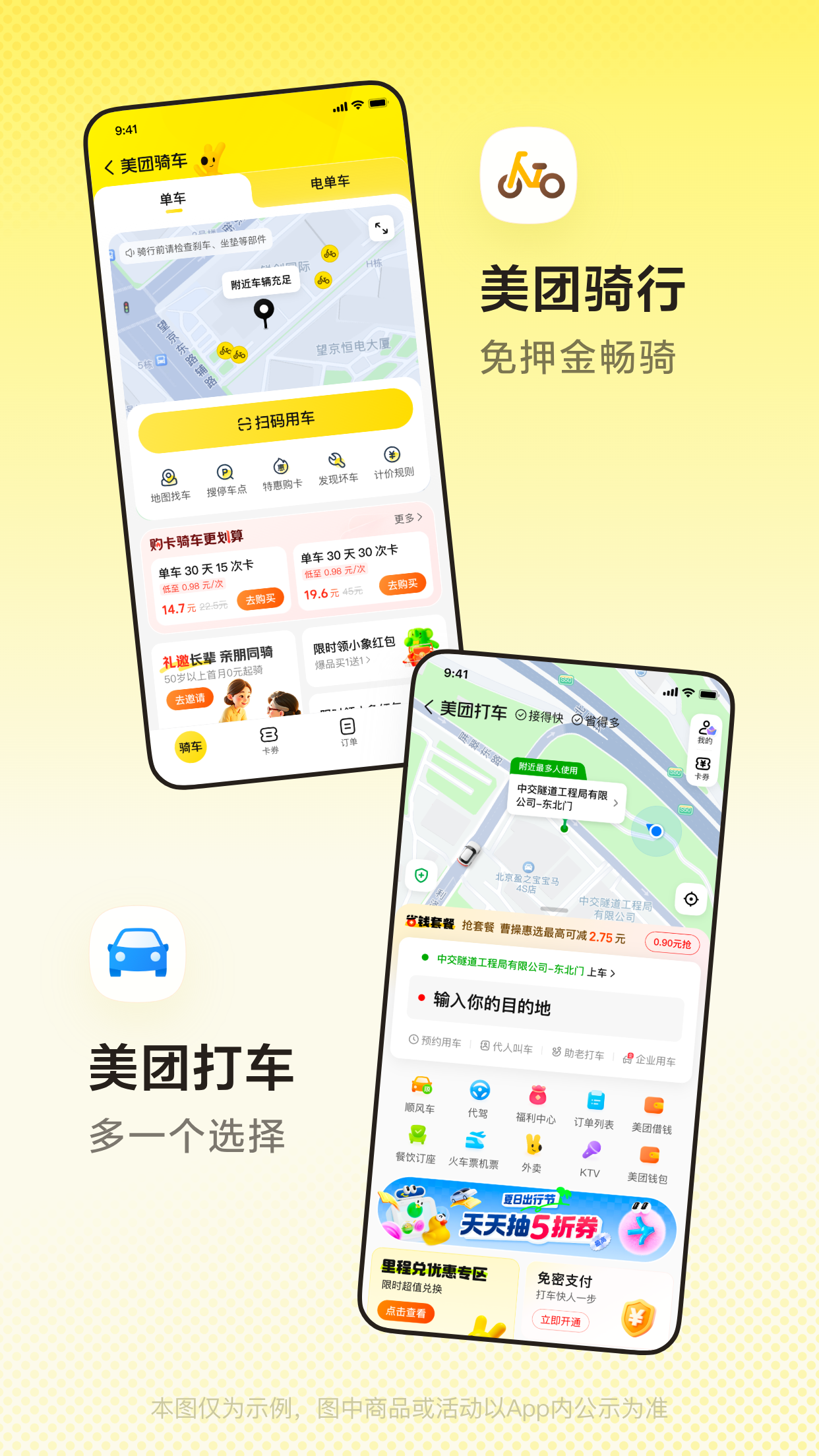
Real Meituan App Store screenshot showing the transport area, including bike rental and ride-hailing. Self-drive 租车 products, when available, may appear elsewhere and have separate licence and deposit rules.
Meituan may show 租车 (self-drive rental), airport transfers, or car-with-driver products. Availability, deposit, insurance, vehicle pickup, and licence requirements belong to the individual provider.
- Search 租车 and confirm whether the product is self-drive or includes a driver.
- Enter the pickup city, dates, driver age, and vehicle type.
- Read the licence, passport, deposit, insurance, mileage, fuel, border, and late-return rules before paying.
- Ask the provider in writing whether a foreign visitor can collect the vehicle. An international driving permit alone should not be assumed to be valid for self-driving in mainland China; visitors generally need the locally accepted temporary or full Chinese driving authorisation.
- Photograph the vehicle, fuel level, existing scratches, contract, and emergency phone number at pickup.
For most first-time international visitors, DiDi, an official taxi, or a licensed car-with-driver is simpler than self-drive rental—especially in Chongqing, Yunnan mountain routes, Xinjiang long-distance routes, or dense Shanghai traffic.
6. DiDi: a safe ride-hailing workflow
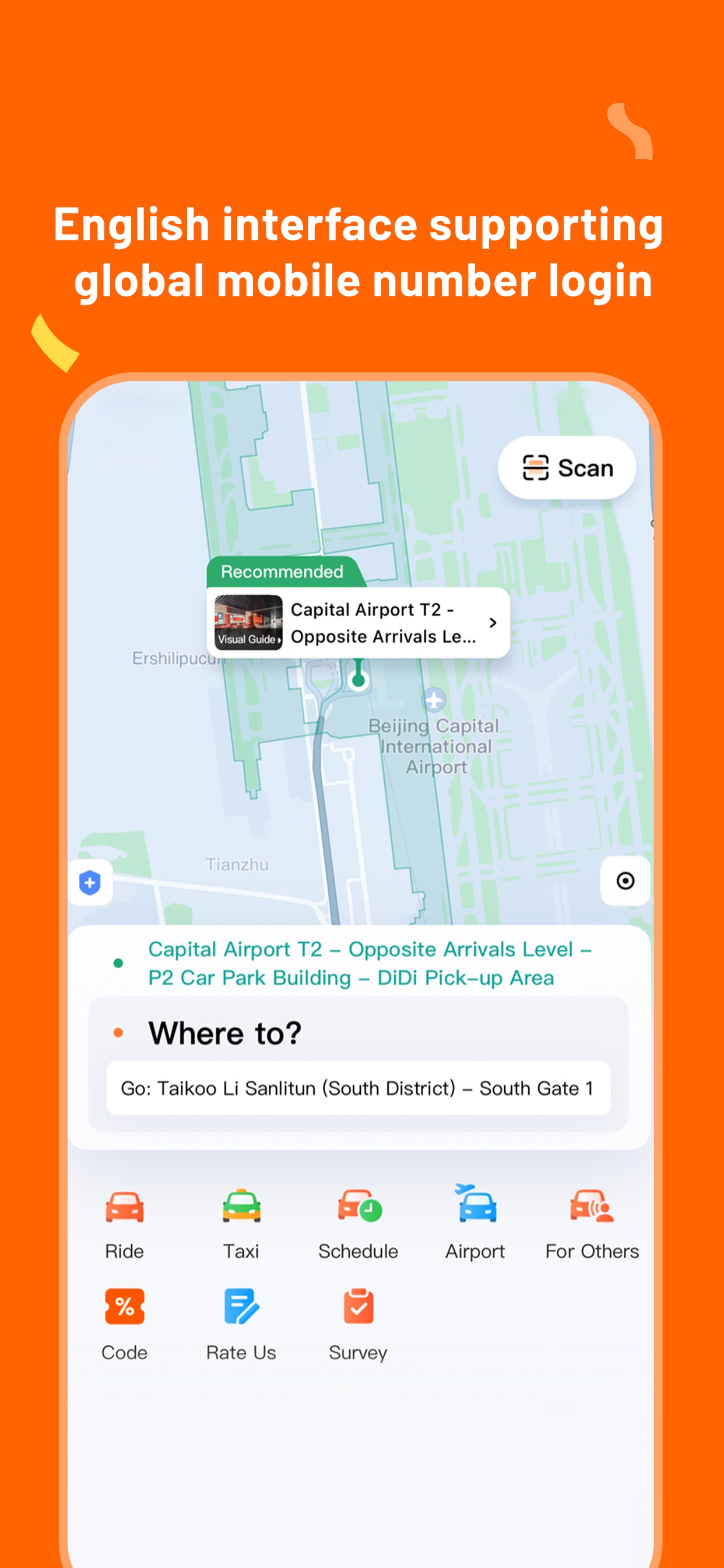
Real promotional screenshot supplied by DiDi to Apple. It shows the English interface, destination field, airport pickup guidance, and service categories. Open the official App Store listing.
- Open DiDi and allow location access while using the app.
- Search the destination using Chinese text when possible.
- Set the pickup pin at the signed pickup zone.
- Choose the service category and review the estimated fare.
- Confirm the vehicle plate and driver details.
- Use the in-app translation or quick-message buttons if needed.
- Share the trip with a companion when travelling late.
- Check the final receipt before leaving the car.
Never accept a ride from someone approaching you in an airport or railway station. Use the app or the official taxi queue.
7. A simple “what to tap” troubleshooting table
| Problem | First check | Backup |
|---|---|---|
| Payment rejected | Card verification, network, merchant amount | Other linked card or cash |
| QR code will not scan | Brightness, live code, camera permission | Ask cashier for the other payment flow |
| Map result looks wrong | Chinese name, district, exact gate | Ask hotel staff to write the address |
| Restaurant app rejects phone | Foreign number or identity requirement | Queue at the host stand |
| DiDi pickup is confusing | Correct gate and road side | Official taxi queue |
| Mini-program cannot open | Network, account verification, official link | Attraction counter or website |
| Phone battery is low | Power bank and low-power mode | Cash, printed address, hotel phone |
8. The five-minute arrival drill
Before leaving the airport or station:
- Open Alipay and show the payment screen.
- Open Amap and search your hotel’s Chinese name.
- Screenshot the hotel address and phone number.
- Open DiDi and confirm your account can reach the booking screen.
- Send the hotel address to your travel companion in WeChat.
- Keep the passport, phone, power bank, and cash in the same easy-to-reach day bag.
9. If a wallet or bank card is stolen
The key limitation: Alipay and WeChat Pay do not create a second copy of the money on an international card. They send a charge to the linked card. Once the issuer freezes or cancels that card, payments through that card will normally stop as well. An app credit menu is useful only if it was already offered, activated, accepted for that transaction, and repayable.
Use this order of action:
- Get safe first. If theft is in progress, there is a threat, or important documents were taken, call 110 or ask the hotel, station, or police desk for help. Obtain a police report if the bank or travel insurer may require one.
- Freeze or report every missing card immediately. Use the issuer’s official app or the emergency number saved before departure. Review recent transactions and record the case number. Do not leave a stolen card active merely because it still works in Alipay or WeChat.
- Protect the phone and SIM. If the phone was also stolen, use the device maker’s remote-lock service, contact the mobile carrier, and use official Alipay and WeChat support channels to secure the accounts. Never give an SMS code or payment password to a caller claiming to “help recover” the account.
- Switch to a genuinely independent payment source. In Alipay or WeChat’s payment confirmation screen, tap the displayed payment method and select a second card only if that card is still in your possession and belongs to you.
- Use existing cash carefully. Keep enough for transport, food, and reaching the hotel or police station. Official guidance for foreign visitors confirms that RMB cash remains a supported payment method and that foreign cards can be used at compatible ATMs and exchange facilities.
- Ask the card issuer about emergency assistance. Depending on the issuer and card network, this may include an emergency replacement card or emergency cash. Use the number in the bank’s official app or website, not a number supplied by a stranger.
- Ask a trusted person to pay the actual merchant directly. A family member may be able to book a hotel, flight, or train through an international platform using their own card. Do not ask strangers to exchange cash for an Alipay or WeChat transfer, and do not send money to an unofficial “agent.”
- Use app credit only as a last, pre-existing option. Follow the Huabei or WeChat product checks above. Confirm the total debt and how it will be repaid after your card has been frozen.
| What is still available? | Practical next move |
|---|---|
| A second card already linked | Select it on the payment confirmation screen and make a small test purchase |
| A second physical international card | Use a compatible ATM, hotel POS terminal, or bind it after confirming with the issuer |
| RMB cash | Reserve it for essentials; ask a bank or hotel where to obtain smaller notes |
| Huabei or another approved credit limit | Use only at an eligible merchant after checking cost, due date, and repayment source |
| WeChat Pay Score | Use only for an eligible merchant’s deposit-free or pay-later service; it is not cash |
| No independent funding source | Contact the card issuer, travel insurer, hotel, embassy/consulate, or a trusted person |
China’s official guidance tells foreign visitors to report a lost card to its issuing bank promptly and confirms that mobile-payment card binding still depends on issuer authorization. See the official working-and-living guide.
10. Prepare an emergency card on your phone
Open Notes, WeChat “File Transfer,” or an offline document and save a bilingual card containing:
I need emergency help. Please call 110 / 120 / 119 / 122.
我需要紧急帮助,请拨打110 / 120 / 119 / 122。
City and district / 城市和区:
Hotel or attraction / 酒店或景点:
Exact entrance, floor, and room / 具体入口、楼层和房间:
Nearest landmark / 附近地标:
My phone number / 我的电话号码:
Passport nationality / 护照国籍:
Screenshot the card so it remains available if an app cannot load. For the meaning of each number and what to say, read the emergency section in China Travel Essentials. An app is useful for sharing a pin, but it does not replace calling 110, 119, 120, or 122 when there is immediate danger.